
What Is a Court Docket in Sarasota County
A Sarasota County court docket is the official, dated list of everything that happens in a case. Each line marks one event: a filing, a motion, a notice, an order, a hearing, a plea, or a final judgment. The docket is built in chronological order, so the most recent action sits at the bottom or top depending on the view. It is the skeleton of the case. Read it and you can tell who filed what, when the court ruled, and what comes next.
The docket and the full case record are not the same thing. The docket is a list of entries. The full record holds the actual documents behind those entries, such as motions, exhibits, and signed orders. In Sarasota, both live in ClerkNet, the Clerk's electronic court system. Docket metadata is often public even when a document image is restricted. That gap matters most in family, juvenile, and probate cases.
How to Find Sarasota County Dockets Online
Sarasota County court dockets are searched through ClerkNet, run by the Sarasota Clerk of the Circuit Court and County Comptroller. The ClerkNet login page offers immediate anonymous access for the public and a registered login for qualified users. Anonymous access is free and is the right path for most docket lookups. The Clerk maintains the system for circuit and county court cases across Sarasota.
The ClerkNet welcome screen shows the public-access options before any search begins.
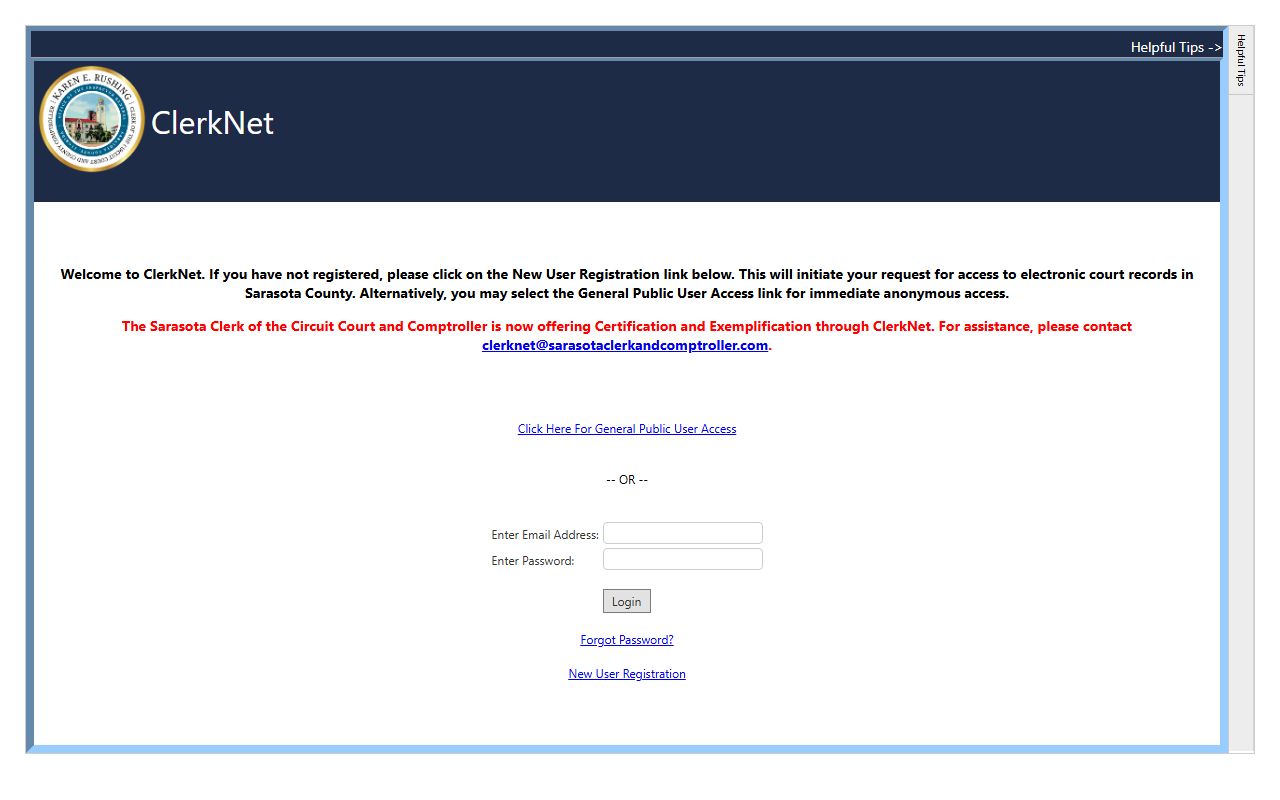
After you choose general public access, the search screen lets you query by case number, party name, or citation. The steps below walk through a basic docket lookup.
- Open ClerkNet and select "Click Here For General Public User Access."
- Pick a query path: case number, party or entity name, or a citation number for traffic and criminal cases.
- Enter your term and add a date range or division filter to narrow the results.
- Open the matching case and review the docket entries, hearing dates, parties, and any viewable documents.
Search Sarasota County Dockets by Case Number or Name
Two paths lead to the same docket. A case-number search is exact. Enter the full number and you land on the right case with no guesswork. Sarasota case numbers carry a year, a division code, and a sequence number, so the format itself tells you the case type. Use this path whenever you have a notice, a citation, or a prior filing in hand.
A party-name search is the fallback when the number is unknown. Type a last name or an entity name; add a first name to cut down on common-name matches. Business and entity names may be indexed differently from individual party names, so try a few variations. If the docket shows fewer documents than you expect, do not assume the case is missing. Images can be restricted even when the docket metadata is public.
Sample Sarasota County Docket Entry
Each docket line packs several facts into a short row. Read left to right and you get the date of the event, the kind of event, who filed it, and a link to the document when one is available and public. The table breaks down a typical entry so the shorthand makes sense.
| Field | What It Shows |
|---|---|
| Entry Date | The date the filing or event was recorded on the case. |
| Event Type | Motion, notice, order, hearing, plea, judgment, capias, or disposition. |
| Party Filing | The party or attorney who submitted the document, or the court itself. |
| Document Link | A link to the image where remote access is allowed; some images are restricted. |
Hearing Dates on Sarasota County Dockets
Hearings show up as their own docket entries. Each one usually lists the date, the time, the courtroom, the judge or hearing officer, and the hearing type. Watching these entries is how parties and the public track when a case will next be in front of the court. A continuance entry means a hearing was moved, so the date you see may not be the final one.
Sarasota County is part of the Twelfth Judicial Circuit, with Manatee and DeSoto Counties. The circuit manages judges, divisions, and hearing schedules, while the Clerk records the events on the docket. For court divisions and judge assignments, the Twelfth Judicial Circuit site is the official source. Always confirm a hearing date through official sources before relying on it.
Docket vs. Full Case Record
The docket is a map; the full case record is the territory. The docket lists the events. The full file holds the motions, exhibits, and signed orders behind each line. For tracking a case, the docket is enough. For legal review or evidence, you need the documents. The comparison below sums up the difference.
| Docket | Full Case Record | |
|---|---|---|
| Format | List of dated entries | Full documents and images |
| Access | Often online and free in ClerkNet | Some images restricted by case type |
| Use | Track case progress and hearings | Legal review and evidence |
Note: Seeing a docket entry does not always mean you can open the document; image access depends on the case type and Florida confidentiality rules.
Restricted Images on Sarasota County Dockets
Florida law limits what document images the public can see online. Under Florida Statutes § 28.2221, subsection (5)(a), general public users get no remote access to images in cases governed by the Family Law Rules, the Rules of Juvenile Procedure, or the Probate Rules. So a divorce, a guardianship, or a delinquency case may show a public docket while the images stay offline. Sealed and expunged records are removed from public view entirely.
Other limits come from court privacy rules. Social Security numbers, protected addresses, financial account numbers, and minor identifying details are redacted. Adoption, dependency, mental-health, and substance-abuse records carry their own confidentiality statutes. To learn which categories are closed and why, see the Sarasota County court records page and the broader public records rules.
Criminal, Family, and Probate Dockets in Sarasota County
Dockets read a little differently by case type. A criminal docket follows the case from the charging document through arraignment, plea, and sentence. It flags warrant or capias entries, bond actions, and any failure-to-appear events. Felony cases run in circuit court; misdemeanors and criminal traffic run in county court. The docket shows fines, costs, and disposition once the case closes. The sheriff arrest data is a separate system and does not show final court disposition, so the docket is the place to confirm an outcome.
Family and probate dockets are the most restricted. A dissolution case shows the petition, financial affidavits, parenting plans, and the final judgment as docket lines, yet the images stay offline for general public users. Probate dockets list the petition, the order admitting a will, letters of administration, and the final discharge, while medical and incapacity documents stay confidential. So the docket tells you a case exists and how far it has moved, but it will not hand over every page online. For deeper detail, see marriage and divorce records and probate records.
Sarasota County Docket Entry Glossary
Dockets use shorthand that can confuse first-time readers. The terms below appear often in Sarasota County court dockets across civil, criminal, family, and probate cases.
- Motion
- A written request asking the judge to take action.
- Order
- The judge's written ruling on a request or matter.
- Disposition
- The final outcome of a case or a single charge.
- Continuance
- A postponement of a hearing or trial to a later date.
- Capias
- A court order or warrant often issued for failure to appear or comply.
- Summons
- A notice requiring a party to appear or respond.